
FROM OUR BLOG
FROM OUR BLOG
FROM OUR BLOG
Navigating New UI/UX Trends in Mobile Development: A 2024 Perspective
Sep 4, 2024
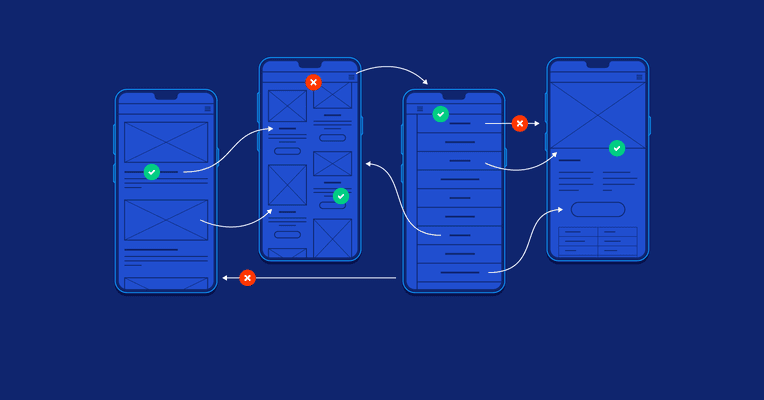
In the dynamic world of mobile development, staying ahead of UI/UX trends is crucial for delivering exceptional user experiences. As technology evolves and user expectations shift, designers and developers must adapt to new trends that shape how applications look and feel. Here’s a comprehensive look at the latest UI/UX trends in mobile development for 2024 and beyond, and how they’re revolutionizing the industry.
1. Immersive Experiences with Augmented Reality (AR) and Virtual Reality (VR)
AR and VR are no longer confined to niche applications; they are becoming integral to mobile user experiences. AR enhances real-world environments with digital overlays, while VR creates fully immersive digital worlds.
AR Examples: Apps like IKEA Place allow users to visualize furniture in their homes before making a purchase. Enhanced ARKit and ARCore capabilities are making these experiences more realistic and accessible.
VR Examples: Fitness apps like Supernatural offer immersive workout environments, making exercise more engaging and interactive.
Why It Matters: AR and VR create unique, engaging experiences that captivate users and provide practical, interactive features that can drive engagement and satisfaction.
2. Personalized User Experiences through AI and Machine Learning
Artificial Intelligence (AI) and Machine Learning (ML) are increasingly being integrated into mobile apps to deliver personalized experiences. AI algorithms analyze user behavior and preferences to tailor content, recommendations, and interactions.
AI Examples: Personal finance apps like Mint use AI to categorize spending and provide customized financial advice. Music streaming services like Spotify offer personalized playlists based on listening habits.
ML Examples: Predictive text and voice assistants, such as Google Assistant and Siri, use ML to understand and anticipate user needs.
Why It Matters: Personalization enhances user satisfaction by delivering relevant content and features, making apps more intuitive and aligned with individual preferences.
3. Minimalist Design with a Focus on Usability
The trend toward minimalist design emphasizes simplicity and functionality. Clean lines, ample white space, and straightforward navigation enhance usability and reduce cognitive load.
Minimalist Examples: Apps like Calm and Medium exemplify minimalist design with their clean interfaces and focus on core functionalities. The goal is to create an uncluttered environment that prioritizes content and ease of use.
Why It Matters: Minimalist design improves user experience by making interfaces more intuitive and reducing distractions, leading to a more focused and pleasant interaction.
4. Voice User Interfaces (VUIs)
With the rise of voice assistants like Alexa and Google Assistant, Voice User Interfaces (VUIs) are becoming a crucial aspect of mobile app design. VUIs enable users to interact with apps through voice commands, offering a hands-free, accessible experience.
VUI Examples: Navigation apps like Google Maps use voice prompts to guide users. Productivity apps like Todoist integrate voice commands for task management.
Why It Matters: VUIs provide a more natural and accessible way for users to interact with apps, especially in scenarios where hands-free operation is beneficial.
5. Biometric Authentication for Enhanced Security
Biometric authentication is increasingly used to enhance security and streamline user access. Fingerprint scanners, facial recognition, and iris scanners are becoming standard features in mobile devices.
Biometric Examples: Banking apps like Chase and Wells Fargo use fingerprint authentication for secure login. Face ID technology in iPhones provides a seamless and secure unlocking experience.
Why It Matters: Biometric authentication offers a higher level of security and convenience, reducing reliance on traditional passwords and improving user trust.
6. Dark Mode and Adaptive Themes
Dark Mode has gained popularity for its ability to reduce eye strain and extend battery life on OLED screens. Additionally, adaptive themes that adjust to ambient light conditions or user preferences are becoming more common.
Dark Mode Examples: Apps like Twitter and YouTube offer dark mode options to enhance usability in low-light environments. Adaptive themes can be found in many apps, adjusting color schemes based on user settings.
Why It Matters: Dark mode and adaptive themes contribute to a more comfortable and personalized user experience, catering to different lighting conditions and personal preferences.
7. Microinteractions for Enhanced Engagement
Microinteractions are subtle animations or feedback mechanisms that respond to user actions. They can include button animations, loading indicators, or interactive transitions.
Microinteraction Examples: Social media apps like Instagram use microinteractions for notifications and likes. E-commerce apps use animated cart icons to provide feedback on user actions.
Why It Matters: Microinteractions enhance user engagement by providing immediate feedback and making interactions feel more dynamic and responsive.
8. Gesture-Based Navigation
Gesture-based navigation is becoming more prevalent as mobile devices move towards edge-to-edge screens and remove physical buttons. Swipes, pinches, and taps replace traditional navigation buttons.
Gesture Examples: Both iOS and Android have adopted gesture-based navigation to maximize screen space and improve usability. Apps like Google Maps use gestures for zooming and scrolling.
Why It Matters: Gesture-based navigation offers a more fluid and immersive experience, allowing users to interact with their devices in a more intuitive and natural way.
9. Progressive Web Apps (PWAs)
Progressive Web Apps (PWAs) combine the best features of web and mobile apps. They offer offline capabilities, push notifications, and a responsive design that adapts to various devices.
PWA Examples: Twitter Lite and Starbucks use PWAs to provide a reliable and fast user experience even on slower networks or limited connectivity.
Why It Matters: PWAs provide a seamless experience across different platforms and devices, enhancing accessibility and performance while reducing development costs.
10. Sustainable Design Practices
Sustainable design practices focus on reducing the environmental impact of digital products. This includes optimizing app performance, reducing data usage, and considering the energy consumption of mobile devices.
Sustainable Design Examples: Apps that optimize data usage and reduce unnecessary background activities contribute to more sustainable digital practices.
Why It Matters: Embracing sustainable design practices helps address environmental concerns and promotes responsible technology use.
In Summary: Embracing the Future of Mobile UI/UX
The landscape of mobile UI/UX is rapidly evolving, with new trends and technologies reshaping how users interact with their devices. By embracing these trends, developers and designers can create more engaging, intuitive, and personalized experiences.
Thriweav is at the forefront of exploring these trends and their impact on mobile development. Join our community to stay updated on the latest UI/UX innovations and learn how to apply these trends to your projects.
Stay tuned for more in-depth articles, expert insights, and discussions right here on Thriweav, where we continue to explore the cutting-edge developments shaping the mobile tech world.
In the dynamic world of mobile development, staying ahead of UI/UX trends is crucial for delivering exceptional user experiences. As technology evolves and user expectations shift, designers and developers must adapt to new trends that shape how applications look and feel. Here’s a comprehensive look at the latest UI/UX trends in mobile development for 2024 and beyond, and how they’re revolutionizing the industry.
1. Immersive Experiences with Augmented Reality (AR) and Virtual Reality (VR)
AR and VR are no longer confined to niche applications; they are becoming integral to mobile user experiences. AR enhances real-world environments with digital overlays, while VR creates fully immersive digital worlds.
AR Examples: Apps like IKEA Place allow users to visualize furniture in their homes before making a purchase. Enhanced ARKit and ARCore capabilities are making these experiences more realistic and accessible.
VR Examples: Fitness apps like Supernatural offer immersive workout environments, making exercise more engaging and interactive.
Why It Matters: AR and VR create unique, engaging experiences that captivate users and provide practical, interactive features that can drive engagement and satisfaction.
2. Personalized User Experiences through AI and Machine Learning
Artificial Intelligence (AI) and Machine Learning (ML) are increasingly being integrated into mobile apps to deliver personalized experiences. AI algorithms analyze user behavior and preferences to tailor content, recommendations, and interactions.
AI Examples: Personal finance apps like Mint use AI to categorize spending and provide customized financial advice. Music streaming services like Spotify offer personalized playlists based on listening habits.
ML Examples: Predictive text and voice assistants, such as Google Assistant and Siri, use ML to understand and anticipate user needs.
Why It Matters: Personalization enhances user satisfaction by delivering relevant content and features, making apps more intuitive and aligned with individual preferences.
3. Minimalist Design with a Focus on Usability
The trend toward minimalist design emphasizes simplicity and functionality. Clean lines, ample white space, and straightforward navigation enhance usability and reduce cognitive load.
Minimalist Examples: Apps like Calm and Medium exemplify minimalist design with their clean interfaces and focus on core functionalities. The goal is to create an uncluttered environment that prioritizes content and ease of use.
Why It Matters: Minimalist design improves user experience by making interfaces more intuitive and reducing distractions, leading to a more focused and pleasant interaction.
4. Voice User Interfaces (VUIs)
With the rise of voice assistants like Alexa and Google Assistant, Voice User Interfaces (VUIs) are becoming a crucial aspect of mobile app design. VUIs enable users to interact with apps through voice commands, offering a hands-free, accessible experience.
VUI Examples: Navigation apps like Google Maps use voice prompts to guide users. Productivity apps like Todoist integrate voice commands for task management.
Why It Matters: VUIs provide a more natural and accessible way for users to interact with apps, especially in scenarios where hands-free operation is beneficial.
5. Biometric Authentication for Enhanced Security
Biometric authentication is increasingly used to enhance security and streamline user access. Fingerprint scanners, facial recognition, and iris scanners are becoming standard features in mobile devices.
Biometric Examples: Banking apps like Chase and Wells Fargo use fingerprint authentication for secure login. Face ID technology in iPhones provides a seamless and secure unlocking experience.
Why It Matters: Biometric authentication offers a higher level of security and convenience, reducing reliance on traditional passwords and improving user trust.
6. Dark Mode and Adaptive Themes
Dark Mode has gained popularity for its ability to reduce eye strain and extend battery life on OLED screens. Additionally, adaptive themes that adjust to ambient light conditions or user preferences are becoming more common.
Dark Mode Examples: Apps like Twitter and YouTube offer dark mode options to enhance usability in low-light environments. Adaptive themes can be found in many apps, adjusting color schemes based on user settings.
Why It Matters: Dark mode and adaptive themes contribute to a more comfortable and personalized user experience, catering to different lighting conditions and personal preferences.
7. Microinteractions for Enhanced Engagement
Microinteractions are subtle animations or feedback mechanisms that respond to user actions. They can include button animations, loading indicators, or interactive transitions.
Microinteraction Examples: Social media apps like Instagram use microinteractions for notifications and likes. E-commerce apps use animated cart icons to provide feedback on user actions.
Why It Matters: Microinteractions enhance user engagement by providing immediate feedback and making interactions feel more dynamic and responsive.
8. Gesture-Based Navigation
Gesture-based navigation is becoming more prevalent as mobile devices move towards edge-to-edge screens and remove physical buttons. Swipes, pinches, and taps replace traditional navigation buttons.
Gesture Examples: Both iOS and Android have adopted gesture-based navigation to maximize screen space and improve usability. Apps like Google Maps use gestures for zooming and scrolling.
Why It Matters: Gesture-based navigation offers a more fluid and immersive experience, allowing users to interact with their devices in a more intuitive and natural way.
9. Progressive Web Apps (PWAs)
Progressive Web Apps (PWAs) combine the best features of web and mobile apps. They offer offline capabilities, push notifications, and a responsive design that adapts to various devices.
PWA Examples: Twitter Lite and Starbucks use PWAs to provide a reliable and fast user experience even on slower networks or limited connectivity.
Why It Matters: PWAs provide a seamless experience across different platforms and devices, enhancing accessibility and performance while reducing development costs.
10. Sustainable Design Practices
Sustainable design practices focus on reducing the environmental impact of digital products. This includes optimizing app performance, reducing data usage, and considering the energy consumption of mobile devices.
Sustainable Design Examples: Apps that optimize data usage and reduce unnecessary background activities contribute to more sustainable digital practices.
Why It Matters: Embracing sustainable design practices helps address environmental concerns and promotes responsible technology use.
In Summary: Embracing the Future of Mobile UI/UX
The landscape of mobile UI/UX is rapidly evolving, with new trends and technologies reshaping how users interact with their devices. By embracing these trends, developers and designers can create more engaging, intuitive, and personalized experiences.
Thriweav is at the forefront of exploring these trends and their impact on mobile development. Join our community to stay updated on the latest UI/UX innovations and learn how to apply these trends to your projects.
Stay tuned for more in-depth articles, expert insights, and discussions right here on Thriweav, where we continue to explore the cutting-edge developments shaping the mobile tech world.
More Update




Subscribe to our newsletter
Unlock your financial potential with Financia. We provide personalized tools and insights to elevate your financial journey.
Subscribe to our newsletter
Unlock your financial potential with Financia. We provide personalized tools and insights to elevate your financial journey.
Subscribe to our newsletter
Unlock your financial potential with Financia. We provide personalized tools and insights to elevate your financial journey.